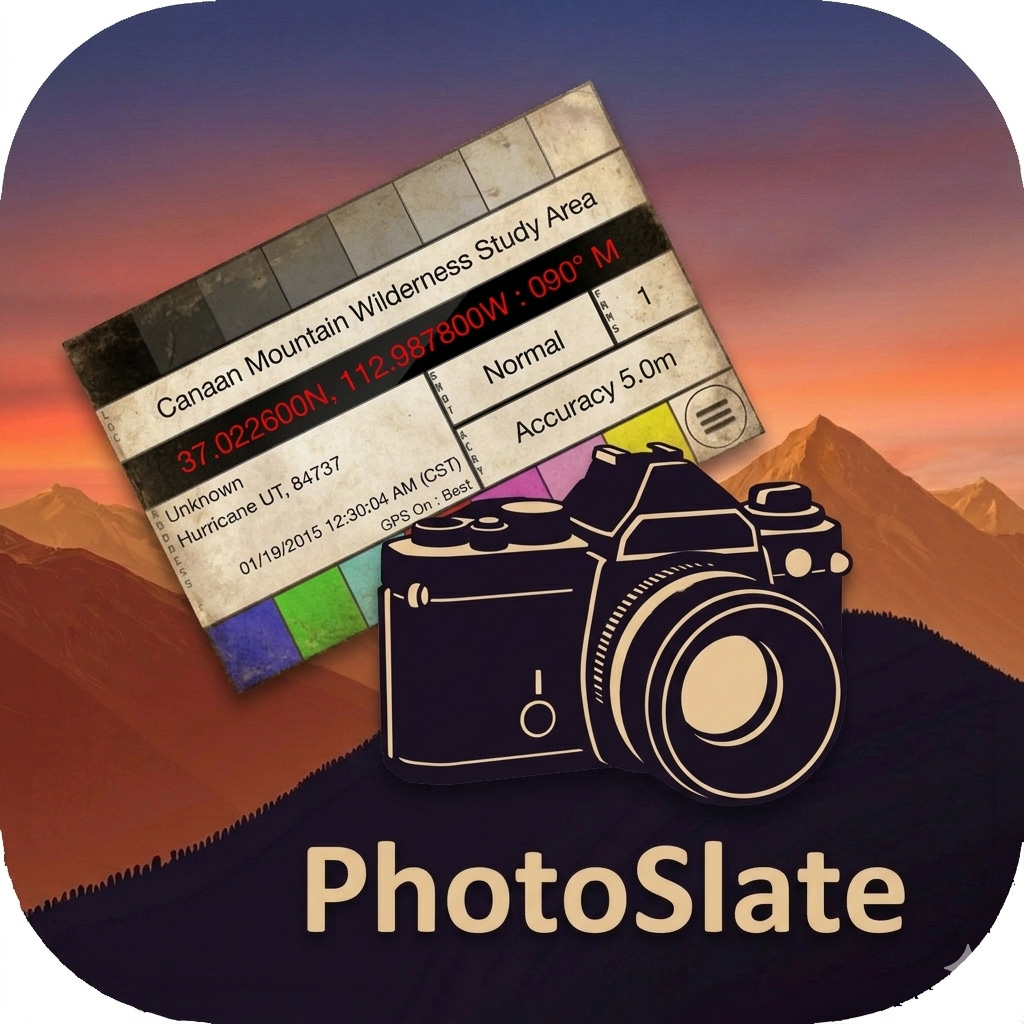

Location Data Slate for iPhone
Your camera records everything the light tells it. It doesn’t know where you were standing. PhotoSlate closes that gap — a digital slate you photograph at the start of each shoot, embedding your GPS coordinates, compass heading, address, and exact time into the first frame of every sequence. Any camera. Any system. No GPS required in the body.
The oldest metadata tool in photography, updated
Filmmakers have used the clapperboard for a century — not because it’s elegant, but because it works. Photograph the slate, and the information is in the footage. PhotoSlate does the same thing for still photography: a slate you photograph with your camera, so every sequence begins with a readable record of where and when it was made.
This matters most when you’re working with a camera that has no GPS — a medium format body, a film camera, a mirrorless system where you leave the GPS adapter at home. It matters on multi-camera shoots where you need every body tied to the same location reference. It matters six months later in Lightroom, when you’re trying to remember whether that set of bracket exposures was from the north rim or the south.
The slate photo becomes the anchor for every sequence it opens. The coordinates are there, in the frame, readable. Everything else you do in post — geotagging, time correction, sequence sorting — follows from that one photograph.
What’s inside
GPS coordinates and compass heading PhotoSlate displays your latitude, longitude, and compass heading in high-contrast red on black — sized and formatted to be legible in a photograph. Three display formats are available: decimal degrees for compact readability, degrees-minutes for field use, and degrees-minutes-seconds for full precision. The heading tells you which direction you were pointed when you made the record.
Reverse geocoded address Below the coordinates, PhotoSlate shows a three-line address — location name, street, city and ZIP — resolved in real time from your GPS position. This is the human-readable version of where you are, useful for notes, file naming, and the moments when coordinates alone aren’t enough to jog your memory.
Timestamp with configurable format The date and time display at the center of the slate, updated continuously, in your choice of ISO, US, or European date format and 12- or 24-hour time. If your camera’s internal clock has drifted — or was set wrong when you crossed a time zone — the slate gives you the correct time to sync against in post.
Shot type and frame count indicators The SHOT indicator marks the type of sequence you’re opening: Normal, Bracketed, HDR, Multiple, Panorama, Focus Stack, or General. The FRMS indicator records how many frames belong to it, from 1 to 9. Tap either to cycle through. These fields become the key for sorting what you shot when you get home.
Grayscale reference strip Nine calibrated bars across the top of the slate, running from black to white. Useful for setting white balance in post, checking exposure, and giving yourself a luminance reference that was made under the same light as your subject.
SMPTE color bars Eight color reference bars across the bottom, toggle-able in Settings. Drawn from the broadcast standard for monitor calibration — the same color bar pattern that has appeared at the head of professional footage for decades.