Author: Richard Cox

  • Why I Built GeoLog

    Rethinking Location Scouting for Real-World Photography

    For years, I’ve wrestled with the same problem many landscape and location photographers face: how do you effectively scout and plan return visits to locations when you’re not standing there?

    Don’t get me wrong—apps like The Photographer’s Ephemeris (TPE) and PhotoPills are excellent tools when you’re on location. Open them up, see where the sun will be, plan your shot. They excel at precision planning: lining up that sunset behind a church spire, calculating the exact moment the Milky Way aligns with an arch. But here’s the thing: those hyper-precise, Instagram-perfect alignments increasingly look contrived in today’s AI-saturated photography world. I’m not chasing those moments.

    What I am chasing is good light. Natural light. The kind where the sun is generally behind my subject for an interesting silhouette, or providing nice frontal lighting that brings out texture and detail. I don’t need the sun at exactly 247.3° azimuth—I need to know if October or March gives me better light for a particular scene.

    The Workaround That Wasn’t Working

    My old workflow was a Rube Goldberg contraption: Use Theodolite to photograph a scene and capture GPS data. Drop that into an Apple Note. Manually enter coordinates into TPE. Try to visualize when to return. It worked, technically, but it was clunky and slow.

    I kept thinking: why can’t I just tap a button and jump from my scouting photo directly into TPE or PhotoPills with the GPS coordinates and heading already loaded? Turns out, neither app exposes URL schemes for this. So I did what any photographer-developer would do: I built my own solution.

    Introducing GeoLog

    GeoLog is location-centric photo scouting designed around how photographers actually work. You return to locations multiple times. You shoot different compositions. You photograph interpretive signs for reference. You scout in summer and return in winter. A location isn’t a single photo—it’s a collection of possibilities.

    No Barriers in the Field

    The last thing you need when you’re scouting is an app that demands data entry. There’s no pressing a (+) button, no typing in location names or coordinates. Import a location-aware photo or snap one with GeoLog’s camera—that’s it. GeoLog automatically generates the title and address information. Done. You’re free to focus on composition and lighting.

    You can edit the title or add notes later if you want, but GeoLog isn’t getting in your way while you’re in the field capturing potential compositions. The app works around your photography workflow, not the other way around.

    Return to a spot a week later? GeoLog recognizes you’re at a known location and asks: “Are these gallery photos for the existing location, or is this a new spot?” That’s the kind of intelligence that only makes sense when you’ve actually been out there scouting.

    Camera Crop Marks for Real Planning

    When I’m scouting with my iPhone, I need to know what this scene will look like through my Nikon with a 24mm lens, or my 70-200mm. GeoLog overlays crop marks so I can visualize the final composition with the gear I’ll actually bring back. No more guessing whether I need the wide-angle or the telephoto.

    Relative Sun Planning, Not Precision Gymnastics

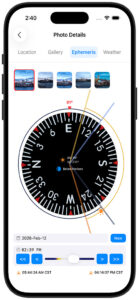
    When I’m reviewing potential locations at home, I bring up a spot in GeoLog and use the Ephemeris view. Those simple << and >> buttons let me scrub through months at a time. October sunrise? Not quite. November? Better. December? Perfect—the sun will be low on the horizon behind that rock formation. That’s the kind of relative planning that actually helps me make decisions about when to return.

    Exposure Compensation for the Real World

    As both a digital and film photographer, I run into a problem that most camera apps ignore: what happens when you stack ND filters beyond what your camera’s meter can handle? You’re in bulb mode with a stopwatch, doing mental math to compensate for neutral density filters—and if you’re shooting film, you’re also calculating reciprocity failure.

    GeoLog’s Exposure Compensation (EC) feature solves this. Enter your base exposure, add your ND filter value, and GeoLog calculates the actual exposure time you need—including reciprocity compensation using industry-standard algorithms for film photographers.

    But it doesn’t stop at calculation. The built-in timer works even when you turn off your phone screen, using the Dynamic Island to keep you informed. You get 10-minute and 2-minute warnings during long exposures, so you’re not constantly checking your watch during a 15-minute exposure. It’s the kind of feature that only makes sense when you’ve actually been out there at golden hour, trying to juggle a stopwatch, ND filters, and composition.

    GeoLog also includes Depth of Field (DoF) and Field of View (FoV) calculators—though I’ll admit the FoV tool started as a testing mechanism for the crop marks feature and turned out to be useful in its own right.

    Get There: Driving Directions Built In

    Ready to shoot? Tap the driving directions button on any location and GeoLog launches navigation from your current position to the photo spot. No more fumbling between apps or trying to remember which turnoff led to that perfect overlook.

    The Gallery Advantage

    The gallery feature captures how photographers actually work. Multiple compositions from different angles. Interpretive signs and wayside markers. Reference shots for later captioning. When I’m preparing images for museum labels, exhibition descriptions, or accurate captions, having that reference material tied to the exact location is invaluable.

    iCloud Sync Across Devices

    Your scouting work syncs seamlessly across all your devices. Scout on your iPhone in the field, plan on your iPad at home, check details on your Mac before you leave. Everything stays in sync.

    Built by a Photographer, for Photographers

    As a Fellowship photographer with the Dallas Camera Club and a member of several other camera clubs over the years, I’ve learned that successful photography is as much about preparation and return visits as it is about being in the right place at the right time. GeoLog is the tool I wished existed—one that thinks about locations the way photographers actually think about them, removes friction from the scouting process, and makes planning practical rather than overly complex.

    What’s Next

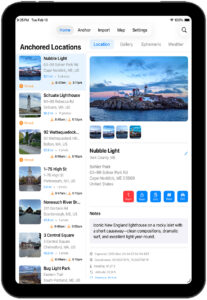
    GeoLog is just getting started. Future enhancements will include comprehensive trip planning with anchored locations (set a home base and plan from there, with date-specific ephemeris data), OCR for interpretive signs (automatically extract text to your notes), and trip essentials like nearby hotels and campsites. The goal remains the same: make location scouting and trip planning as frictionless as possible.

    If you’ve ever found yourself frustrated with overly complex planning apps, or if you’ve cobbled together your own workaround system for scouting locations, GeoLog is ready to simplify your workflow.

    See the light. Plan the shot. Master the moment.

  • Sentinel of the Plains

    Sentinel of the Plains

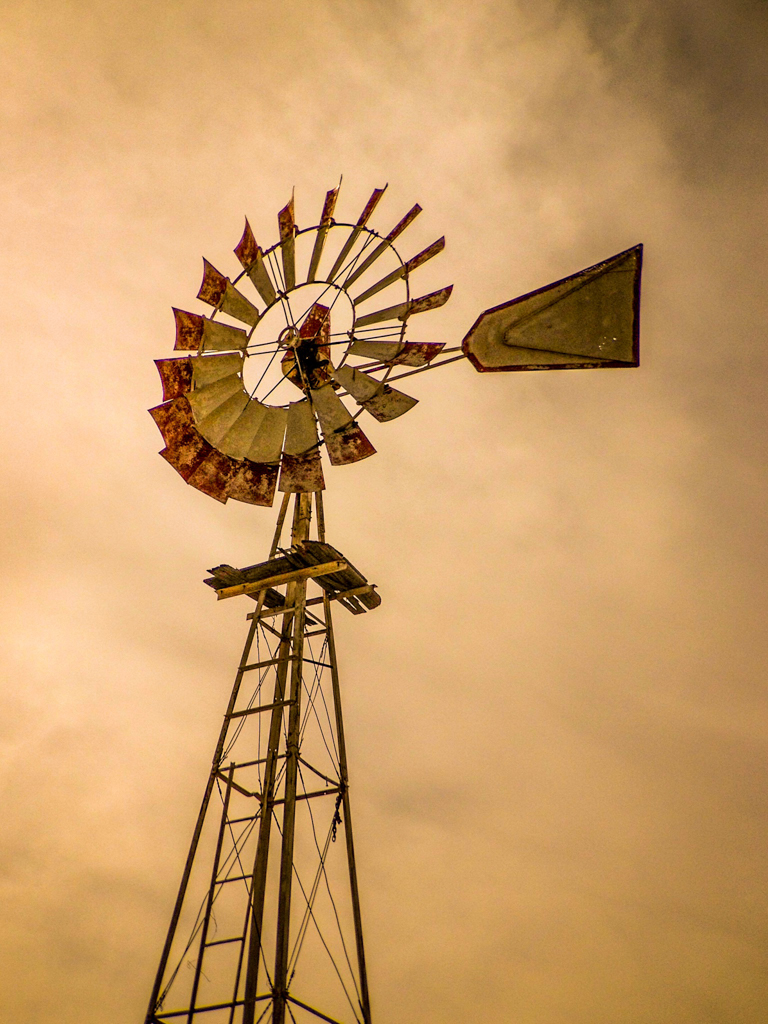
    There’s something beautifully timeless about these old windmills, standing tall against the sky like quiet sentinels of the prairie. This particular one — likely an Aermotor, a staple of the American agricultural landscape since the late 1800s — caught my eye with its weathered blades and rusted charm.

    I’m always on the lookout for these mechanical marvels. They once pulled life-saving water from deep beneath the surface for livestock and homesteads, and now they stand as relics of a time when wind power meant survival, not sustainability.

    I photographed this one on a cloudy day, which gave the sky a moody, golden tone. The angle — shot from below — emphasizes the towering elegance and strength of the structure. The broken and bent blades add character, telling stories of decades of harsh wind and sun.

    If you’ve ever driven back roads across the American West, you’ve likely seen one of these windmills in the distance — a fading icon of self-reliance, quietly spinning through time.

  • Ethereal Passage: Texas Gate in Infrared

    Ethereal Passage: Texas Gate in Infrared

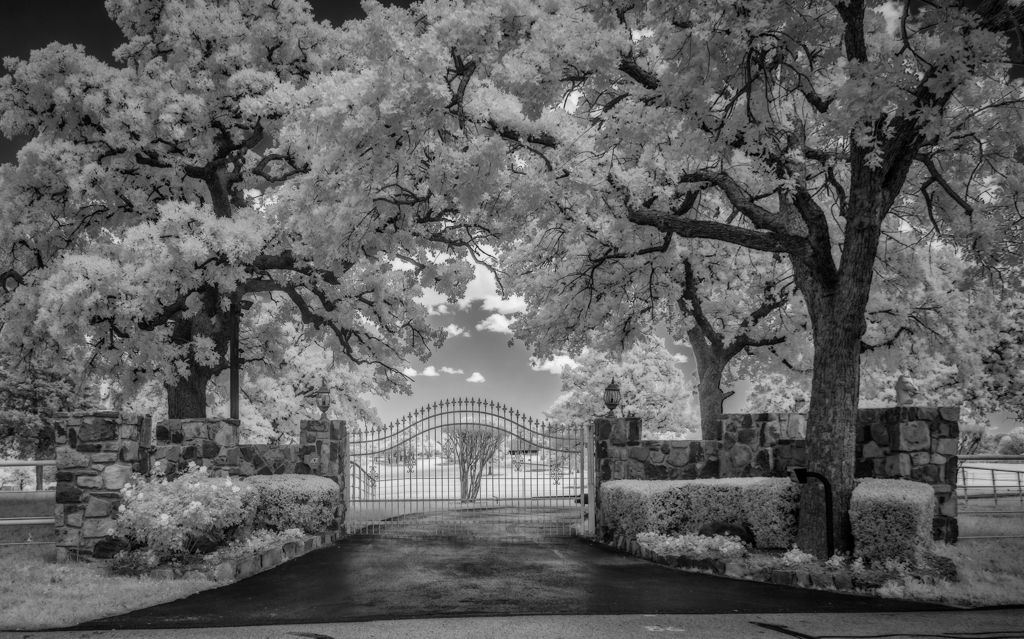
    Framed by arching oaks and flanked by stone pillars, this stately Texas ranch gate transforms into a luminous dreamscape when captured in infrared. The image glows with spectral beauty—leaves rendered snow-white, grass glowing faintly, and the wrought-iron gate standing like a threshold between dimensions. The trees seem to breathe with light, their canopies sheltering the viewer in a surreal, silent canopy.

    Photographed with an infrared-converted camera, the visible world is stripped away and reimagined. Shadows deepen, skies turn ink-black, and organic textures gleam with spectral intensity. The result is a moment suspended in time—simultaneously intimate and eternal.

    As part of a continuing project exploring rural Americana, this image elevates a simple entrance into a symbol of mystery and transition—a poetic meditation on land, legacy, and the quiet beauty found between the fences of Texas.

  • Can visitors use your photos for personal or educational purposes

    If someone really wants to use one of my photos, I can’t physically stop them — that’s the reality of the internet. I’m not a fan of watermarks, so you won’t see them across my images. But that doesn’t mean the photos are free to use. All of my work is copyrighted, and even without a watermark, it’s still traceable.

    If you’d like to use one of my images for personal or educational purposes, I simply ask that you reach out and let me know. I’m usually happy to say yes — I just appreciate being asked.

  • What’s your philosophy on editing vs. keeping images naturals

    I’ll just put it out there: Ansel Adams’ prints look nothing like the negatives used to create them. He was a master of the darkroom — the original version of Photoshop. I came from that world too. I photographed, developed, and printed my own work using chemicals, and I was the photo editor for my college newspaper and yearbook long before digital tools existed. 

    All of that shaped how I think about editing. I’m not a fan of heavy manipulation or creating images that feel artificial. I went through a brief phase with the old, grungy HDR style, but I’ve moved past that. These days, I spend more time resisting the urge to over‑process than anything else — and I’ll admit, it’s still hard to step back and let an image breathe.

    For me, editing is about refining the photograph, not reinventing it. I want the final image to feel true to the moment, even if it’s been thoughtfully shaped along the way.

  • How do you decide which photos make it into your galleries

    I’m not actually a big “gallery” person, even though this website has one. For me, the story behind an image matters far more than simply filling a grid with photos. I choose images that have meaning — something I experienced, discovered, or connected with in a way that feels worth sharing.

    I’m also a big believer in printing my work. Seeing a photograph as a physical print often tells me more about whether it deserves a place on the site than viewing it on a screen ever could. If an image holds up in print and still feels true to the moment, that’s usually when it earns its spot.

  • Do you share behind‑the‑scenes stories or location notes

    Absolutely — that’s one of the main reasons I created this website. I enjoy sharing the stories behind my photos, the locations I discover, and the planning that goes into each shoot. I also plan to launch a YouTube channel where I can talk more about my photography, walk through my process, and bring people along on my trips.

    The GeoLog app I’m building is part of this as well. It’s designed for location planning, scouting, and documenting the places that inspire me. So you can expect plenty of behind‑the‑scenes content, planning articles, and YouTube posts as everything comes together.

  • How do you stay motivated creatively

    Photography isn’t a job for me, so I don’t feel any pressure to constantly produce. That takes away the usual worries about motivation. My wife has a great way of describing the creative process: know the challenge, understand the challenge, and then wait for inspiration. I’ve found that to be true.

    I’m also an avid cyclist and runner, which gives me plenty of time for that “wait for inspiration” stage. Ideas tend to show up naturally when I’m out moving, thinking, or simply letting my mind wander. Creativity comes more easily when there’s no deadline attached to it.

  • What are your favorite photography books, blogs, or learning resources

    I have hundreds of photography books, and I return to many of them often. One of my favorites is Robert Hitchman’s Photograph America series — a fantastic collection of location guides that blend inspiration with practical insight. Art Wolfe is probably my favorite photographer; his sense of color, composition, and storytelling is unmatched. I also have many of Ansel Adams’ books, which continue to be timeless references. And I’ve always admired Galen Rowell, whose adventurous spirit shaped his photography. His life was tragically cut short during a night approach into Bishop Airport in California.

    As for YouTube, I’m not drawn to gear‑focused channels. I prefer photographers who share their process — the thinking, the scouting, the mistakes, the creative decisions. Here are some of my favorites:

    Thomas Heaton : A landscape photographer who brings viewers along on his hikes and location explorations. His videos focus on the experience of making a photograph, not just the final image.

    Ben Horne: A large‑format film photographer known for his quiet, thoughtful approach. His work emphasizes patience, intention, and the craft of shooting 8×10 film in remote landscapes.

    Gavin Hardcastle (PhotoTripper): A landscape photographer with a great sense of humor. He mixes solid instruction with playful storytelling — including his famous clip of slipping on the ice.

    Nick Carver: A film photographer who dives deep into technique, exposure, and the discipline of shooting deliberately. His videos often explore the craft behind the image.

    Peter McKinnon: A high‑energy creator who blends photography, filmmaking, and storytelling. He’s known for his cinematic style and ability to make creative concepts accessible.

    Jason Kummerfeldt (grainydays): A film photographer with a dry, comedic style. His channel mixes genuine photographic insight with a laid‑back, humorous approach to shooting and exploring.

  • Do you use AI tools in your photography or editing

    Yes, I do — but with limits. I’m not interested in replacing skies, adding objects, or creating fantastical scenes that never existed. That kind of manipulation doesn’t appeal to me.

    I have used generative AI to remove things like a trash can and let the software fill in what was behind it. To me, that’s no different from what a painter might do to clean up a composition. I’m not a purist, and I’m not a photojournalist, so capturing a strictly “true” scene isn’t my goal.

    For my work, removing distractions — trash, jet contrails, dust spots — is completely fair game. It helps the final image reflect the feeling I had when I took the photo, without the clutter that sometimes gets in the way.