

Photo Location Scout for iPhone and iPad
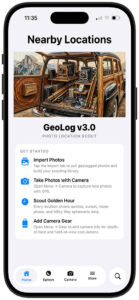
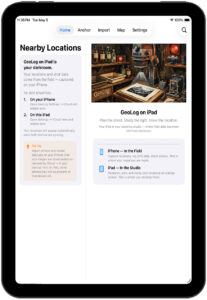
GeoLog organizes your photography around the places that matter. Every location you’ve visited, every photo you’ve taken there, every piece of data you need to go back and get the shot right — in one place, sorted by where you are right now.
Built around locations, not timelines
Most apps organize your photos by when you took them. GeoLog organizes them by where. Every visit to the same spot — across seasons, across years — lives together. The light from last October. The notes you wrote about parking. The exact heading you were facing when you got the shot you’ve been trying to repeat.
When you open a location in GeoLog, you have everything: the photos, the GPS data, the weather forecast for that specific set of coordinates, the sun and moon positions for any date you choose, and every calculation you need before you press the shutter.
What’s inside
Location library Your geotagged photos imported and grouped automatically by proximity. All visits to the same place, together. Sortable by distance from where you’re standing right now.
Ephemeris See exactly where the sun and moon were when you took a photo — relative to the direction you were facing. Then move forward in time to find when that alignment happens again. Solar eclipse detection included.
Weather A 7-day forecast pulled for each location’s actual GPS coordinates, not your current position. Golden hour and blue hour windows for every day. Because conditions at a mountain pass are rarely what your phone is showing you at home.
Exposure calculator Aperture, shutter speed, ISO, and EV compensation. Filter management for when you’re shooting through glass too dense to meter through. A long-exposure timer with Live Activity support, lock screen countdown, and notifications that break through Do Not Disturb. Film mode with reciprocity failure correction for over 40 film stocks, using manufacturer data.
Depth of field Calculated for your specific sensor size and focal length — not a generic full-frame default. Visual representation of the near and far limits. Hyperfocal distance shown alongside the results.
Field of view The actual horizontal, vertical, and diagonal coverage at any focal length and subject distance, for your camera and lens. Shown as angles and as physical dimensions.
Gear Register your camera bodies and lenses once. Your gear then drives accurate calculations across DoF, FoV, and the in-app camera’s crop marks — which draw precise frame lines for your actual equipment on the viewfinder.
Smart import Scan your camera roll by proximity — Near Me, Anchor point, or address search. GeoLog clusters nearby photos automatically and presents them for review before creating anything. Duplicates are excluded. Up to 20 new locations per session.
PDF reports Any location can be exported as a shareable report: main photo, 3D satellite map, GPS coordinates, heading, altitude, notes, and a full gallery with per-photo data.
iCloud sync Everything syncs across iPhone and iPad. Your iPhone is your field tool. Your iPad is your planning studio.
iPhone and iPad
GeoLog is designed for both, and they play different roles.
On iPhone, you’re in the field. Importing photos on the way home from a shoot. Running an exposure calculation at the tripod. Checking where the moon will be in three hours.
On iPad, you’re planning. Studying a location’s full photo history on a large screen. Comparing ephemeris data across dates. Reviewing a location’s weather before committing to the drive.
iCloud connects them. Import on iPhone, study on iPad, return with confidence.
Companion apps
GeoReturn guides you back to the exact GPS coordinates — and the exact direction — of any photo in your library. When you’re close enough, its precision compass points you to the spot and the heading simultaneously.
PhotoSlate displays your current GPS coordinates, heading, address, and time on a classic camera slate. Photograph it with your dedicated camera to embed location data in any shot, on any camera system.
Both are available separately on the App Store.
Questions? Every screen in GeoLog has a built-in help sheet — tap the ? button for detailed guidance without leaving the app.
Manual · Support · Privacy Policy